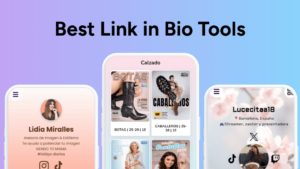
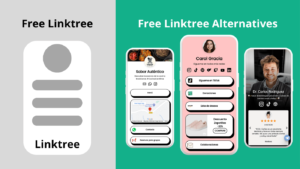
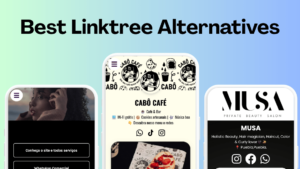
Looking for the best Linktree alternatives in 2025? We tested 20+ apps like Linktree and shortlisted the top 5 based on customization, analytics, mobile experience, and price, especially for creators and small businesses that outgrow Linktree’s free plan.
Top 5 Linktree Alternatives in 2025 (Free + Paid)
Quick Picks: Best Linktree Alternative by Use Case
- Best free Linktree alternative: atom.bio
- Best for Instagram-style cards: Tap Bio
- Best for blocks + business features: Taplink
- Best minimalist portfolio-style page: Bento
- Best mobile-first creator app: Milkshake

Full List: The 5 Best Linktree Competitors We Tested
- atom.bio
- Tap Bio
- Taplink
- Bento
- Milkshake

Linktree Alternatives Comparison (Free Plan, Analytics, Mobile, Templates)
| Free plan | Mobile Optimization | Analytics | Templates | |
|---|---|---|---|---|
| atom.bio | ✓ | ✓ | ✓ | ✓ |
| Tap Bio | ✓ | ✓ | ✓ | |
| Tap Link | ✓ | ✓ | ||
| Bento | ✓ | |||
| Milkshake | ✓ | ✓ |
Legend: ✓ = available on free plan / ✕ = limited or paid
How We Tested These Linktree Alternatives
Testing Criteria (What We Checked on Each Linktree Tool)
- Free plan limits: links/sections, branding, templates
- Customization: fonts, colors, layout control, buttons
- Analytics: click tracking, referrers, time/day performance
- Mobile optimization: loading speed + editing experience
- Price jumps: what you really pay to unlock basics
Why People Look for Linktree Alternatives
Most people search for alternatives to Linktree for the same reasons: they want more customization, better analytics, fewer limitations on the free plan, and pricing that doesn’t jump quickly as their audience grows.
You’re probably here because you’re searching for a better Linktree alternative: either you’ve outgrown Linktree’s free plan, or you want more control over branding, analytics, and features without paying a high monthly fee. If you’re still new to this category, here’s a quick overview of what Linktree is and how it works.
Linktree popularized the whole concept of putting multiple links into a single, shareable page, solving the one-link-only problem on popular platforms such as Instagram and TikTok.

But as your needs grow, so do the limitations.
We now want more control over branding, integrations, and advanced features without jumping to an expensive monthly fee. And frankly, Linktree’s limitations just don’t cut it for everyone anymore, especially with the free plan.
And this is why we decided to roll up our sleeves and test the top sites like Linktree, looking at both free and premium options, to help you find a smarter and more flexible tool that actually fits your unique needs and goals.
We found the good stuff. Now, let’s help you choose it.
1. atom.bio (Best Free Linktree Alternative Overall)
| Best for | Content creators and businesses of all sizes |
| Analytics and Insights | Included |
| Free Plan | Free and premium plan for no ads |
| Page Customization | Flexible |
| Pricing | Free and $3.99 |
| Ease of Use | ⭐⭐⭐⭐⭐ |
| Editing Capabilities | ⭐⭐⭐⭐⭐ |
| Customization | ⭐⭐⭐⭐⭐ |
| Features | ⭐⭐⭐⭐⭐ |
| Customer Support | ⭐⭐⭐⭐⭐ |
👉 Coming in as the best overall free Linktree alternative is atom.bio
Yes, you read that right. It’s completely FREE.
If their word holds, atom.bio’s free version is here to stay. And yes, it includes all features that most Linktree alternatives would charge you for.
Honestly, it felt too good to be true when we first heard about this promising link in bio tool, so we took it for a spin right away.
What’s interesting about this tool is how frictionless and effortless the entire process felt.
They weren’t lying when they said that you could create a whole landing page in under five minutes. It felt like I clicked just a couple of times, and I instantly had a fully functional landing page for all my important links.
Now, you’d think something that simple (and free) wouldn’t offer much in terms of customization, right? Not with atom.bio.
This Link Tree free alternative really gives you the best of both worlds.
- Ease and simplicity that make it beginner-friendly
- Delivers level of customizability that advanced creators and brands look for
- Perfect if you want to tailor your landing pages to match your unique identity.
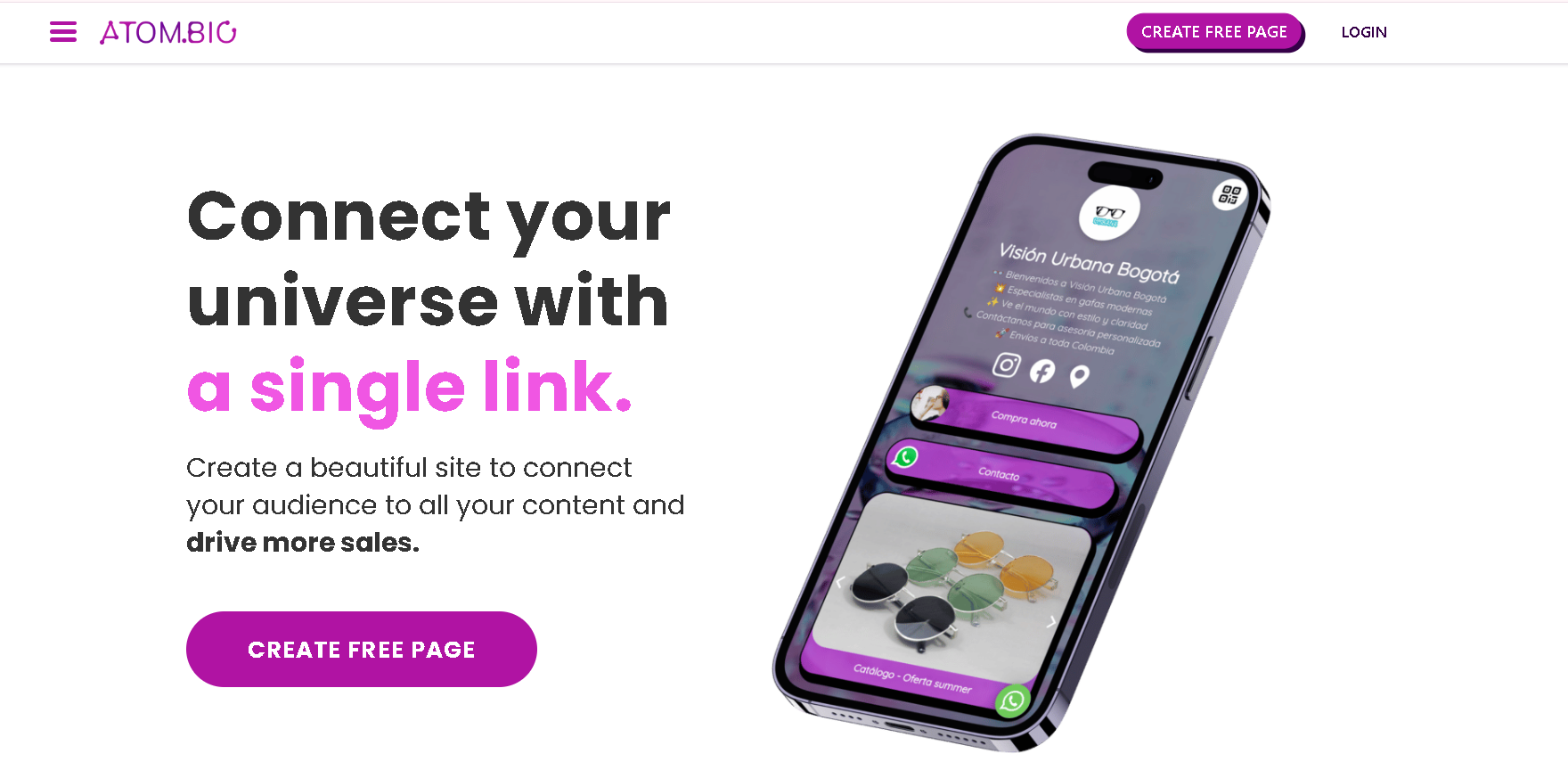
As soon as you land on their website, you’ll immediately spot the “Create Free Page” button, which kicks off the process of building your own link-in-bio landing page. The site itself is clean, modern, and easy to navigate.
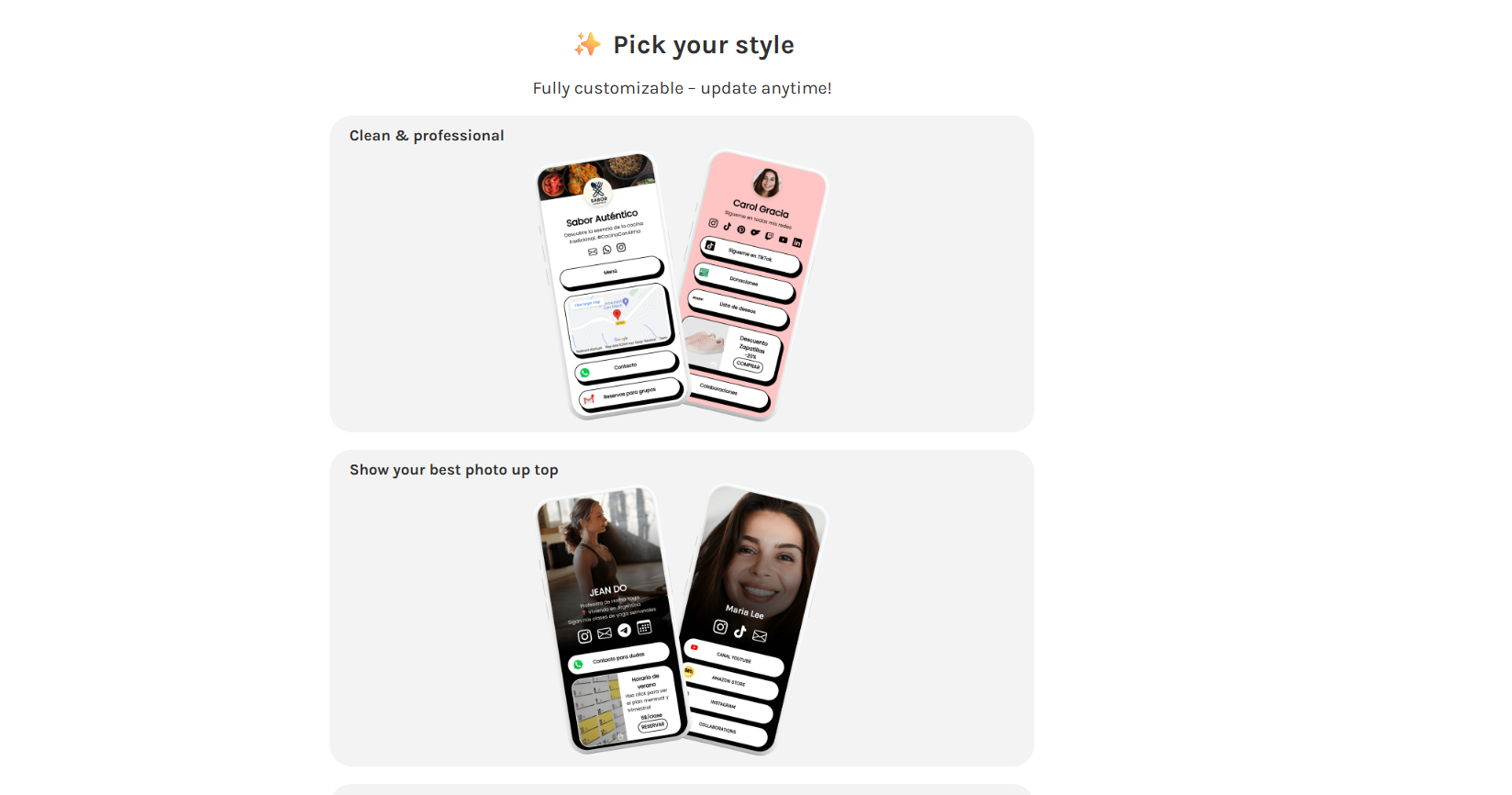
The user interface strikes a nice balance between simplicity and style, which gave me a glimpse of the eye-catching page designs and templates they offer.
Getting started is just a few clicks away.
- Choose your template: atom.bio has a wide variety of templates for every category, such as food, gaming, pets, entertainment, beauty, and more. I love how these templates were designed specifically for each category instead of just neutral general templates made to fit any niche.
- Upload your visuals: Now, upload the images that you want to use for your background or banner. It’s customizable like that!
- Customize your content: This is where you can connect your integrations, edit buttons and widgets according to your unique vision, and add external links.
- Go live in minutes: At this point, your page is ready to launch. But you can also do deeper into customizing.
If you’re someone who likes having full control over every detail, from layout and fonts to colors and element positioning, atom.bio has you covered, too.
The best part? No coding required.
You can fully customize your page design right in your browser and even on mobile, because realistically, everything social media happens on our phones, so it’s great that I can create and edit my link in bio pages even on the go.
But Atom isn’t just about looks. It also means business.
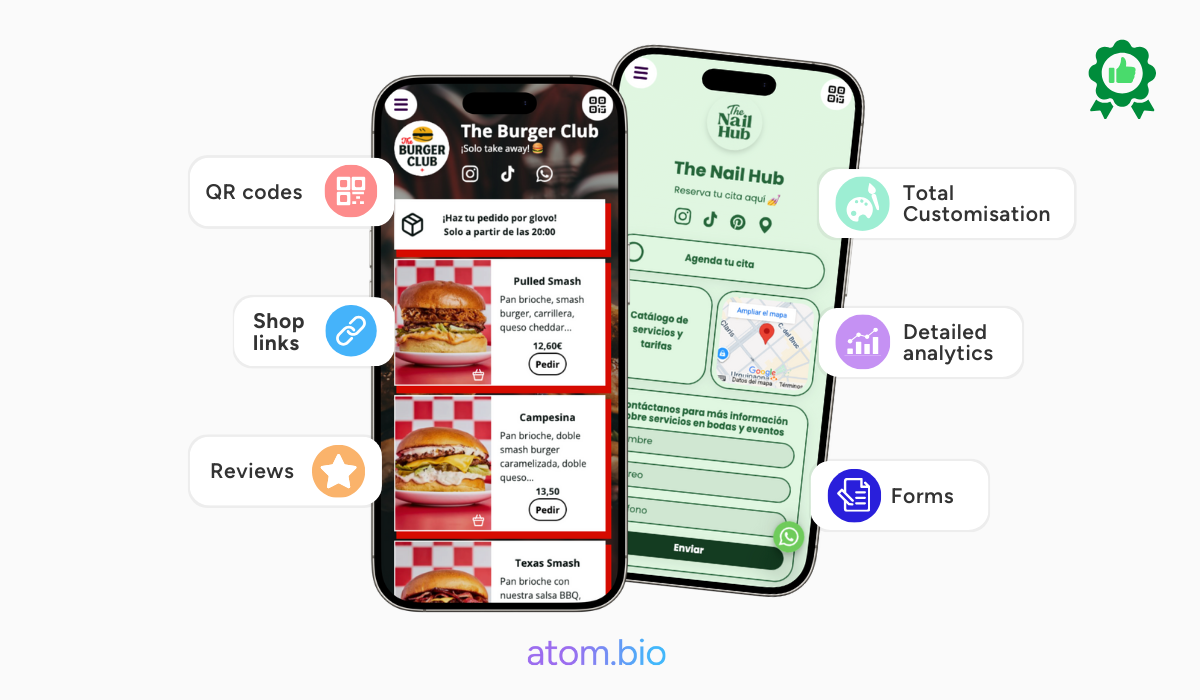
atom.bio also includes advanced analytics, custom domains, SEO controls, and even monetization options, which are features that are often locked behind paywalls on most apps like linktree.
Did I mention that all features in atom.bio is free?
The analytics dashboard is sleek and intuitive and works for anyone, from seasoned marketers to complete beginners who aren’t used to looking at analytics yet.
We love how we could easily track which links were getting the most clicks, how many people had viewed my page overall, and where that traffic was coming from.
It’s not overwhelming at all. The layout is clean and straightforward without being plain.
Best of all, it’s not cluttered.
I could see click-through rates per button, and even compare performance over time, which is super helpful when we were testing and promoting different things every week.
If you’re a creator or a marketer…
This kind of visibility really will really help in making smarter content decisions.
But what we found that’s most impressive is the fact that you don’t need to be on a premium plan to access the basics (and then some). I was able to view real-time data, which is something a lot of Linktree competitors hide behind a paywall.
As a result, I was able to tweak my page based on what actually works, instead of guessing.
Now let’s talk about the price…
…because this is where atom.bio surprised us.
Imagine having features such as unlimited links and access to analytics, along with 100% customization, all in a free tool. That’s what I got with atom.bio’s free tier.
atom.bio gave me everything I need without having to pay a cent while most tools either lock in essential features behind paywalls or slowly strip down their free tiers (looking at you, Linktree).
The only time you’ll have to pay is when you want to remove the ads, which some people don’t really mind.
Bottomline?
atom.bio is the best link in bio tool for creators and marketers of all sizes. Whether you’re looking for something simple and beginner-friendly or need more in-depth, technical features, it delivers on both ends.
Most of its powerful features are completely free, and the only thing you’ll ever pay for is removing the small ad badge on your page.
The user experience is fuss-free from start to finish, no frustrating moments and confusing setup.
And if anything goes wrong, you’re backed by 24/7 live chat support, which is rare for a free-tier tool.
Honestly, it gives more than just value for money. It’s the perfect starting point if you’re looking for your first link in bio tool and don’t want to invest heavily right away.
💡 Curious how it stacks up? Read our complete atom.bio vs 10 top link in bio platforms comparison.
2. Tap Bio (Instagram-Style Cards Alternative to Linktree)
| Best for | Influencers and small businesses |
| Analytics and Insights | Included in the premium plans |
| Free Plan | Yes |
| Page Customization | Limited |
| Pricing | Free and up to $12 |
| Ease of Use | ⭐⭐⭐⭐⭐ |
| Editing Capabilities | ⭐⭐⭐ |
| Customization | ⭐⭐ |
| Features | ⭐⭐⭐⭐ |
| Customer Support | ⭐⭐⭐ |
If you prioritize style and fun in your link in bio landing page, you might like Tap Bio’s approach.
Tap Bio vs Linktree: What’s Different?
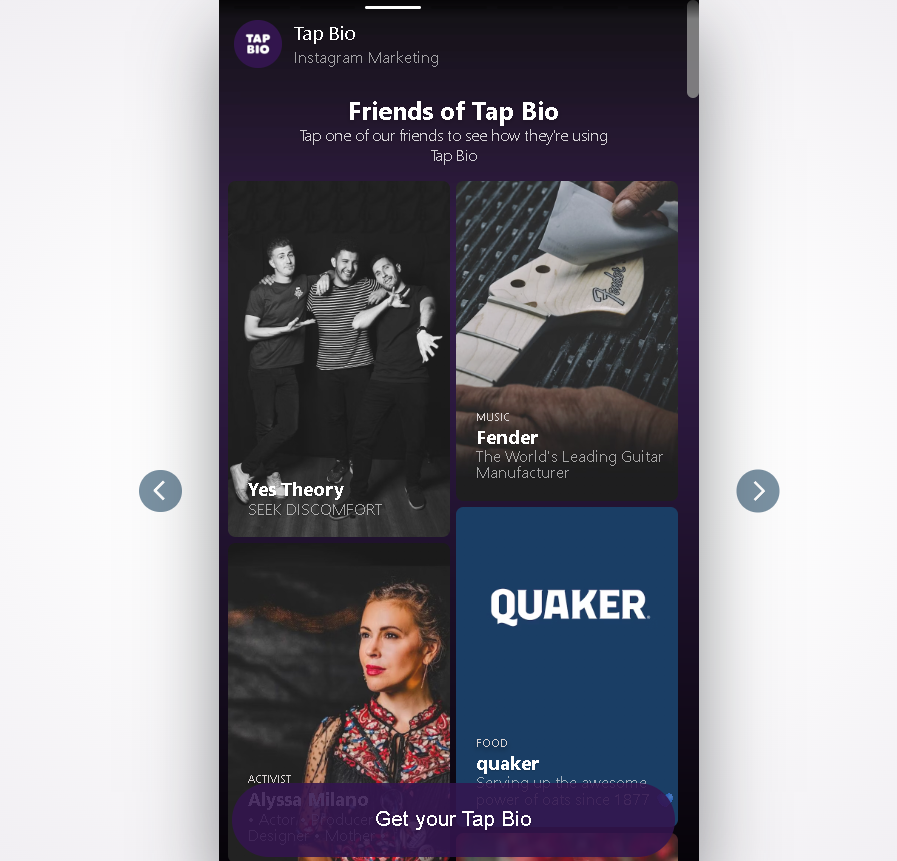
Tap Bio uses swipeable cards (more “Instagram Stories” style). Linktree is a classic vertical list. Tap Bio looks fun and is mobile-first, but its free plan is restrictive (often just one card) and customization is limited compared to more flexible Linktree alternatives.
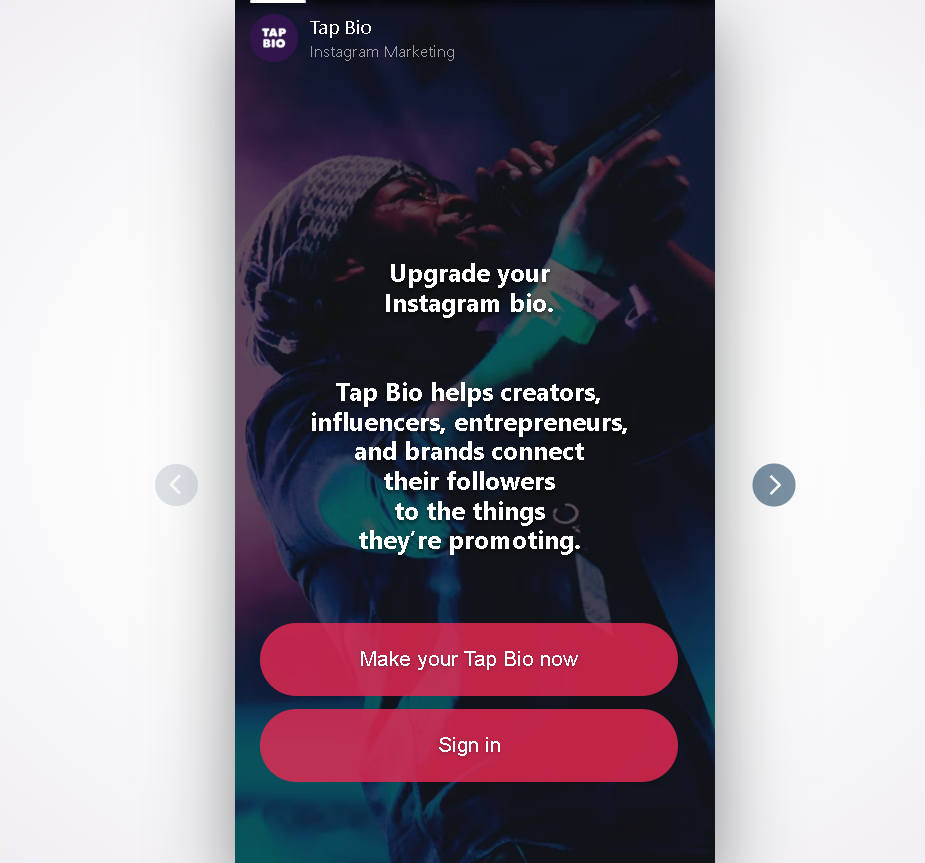
Basically, Tap Bio mimics the look of Instagram stories, from their “card” to the swiping navigation.
Instead of the usual vertical list of links, Tap Bio uses a “card-based” layout that gives you the feel of swiping through social media stories. It’s sleek, minimalist, and visually engaging.
Getting started is also easy. All you have to do is provide the needed information, such as your links, account names, and captions, among others. You can then choose an image to be used as a background or banner.
On the other hand…
Fun as it may look, Tap Bio has some limitations when it comes to customization, just like most Linktree free alternatives.
You can customize the colors at best, but you won’t be able to fully control the layouts and design details like you can with atom.bio. Tap Bio also doesn’t have built-in monetization tools, as well as advanced analytics.
One of the things I always look for is a tool’s mobile optimization, and Tap Bio has it. It’s perfectly optimized for mobile devices as its focus is Instagram audience.
However…
… This great mobile optimization comes at a cost. The desktop experience is less than ideal, as the interface can sometimes appear awkward and compacted.
As for its analytics, Tap Bio integrates with Google Analytics and Facebook Pixel, which let me track the performance of the cards and links I made. It’s also simple and easy to get, just like everything about this tool.
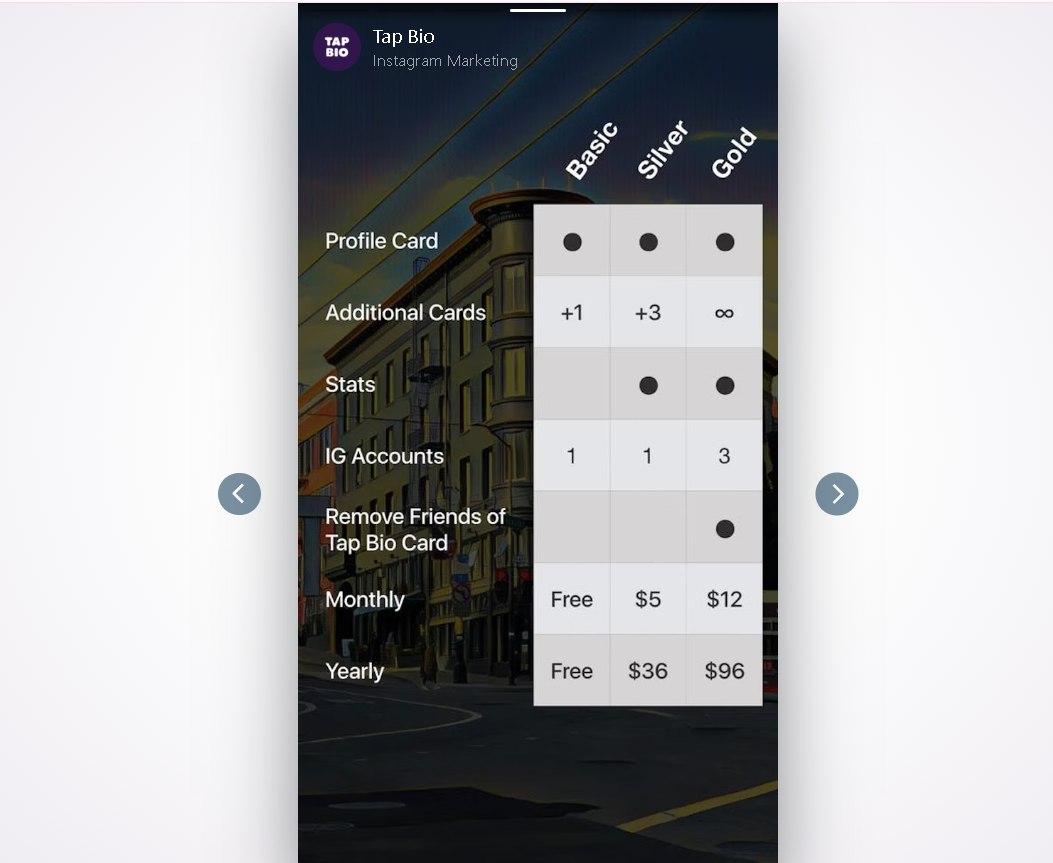
It has a free plan with a competitive rate, though still quite limited.
The catch?
The free plan only gives you one card. Yes, just one card.
I had to upgrade to be able to have three cards so my viewers can swipe! One card and a profile card are what you’ll get with the free plan.
Tap Bio’s premium plans are Silver ($5), Gold ($12), and Platinum (custom and upon request). The analytics feature can be accessed starting from the Silver plan.
That said…
…Tap Bio’s free plan is suitable for individuals who only need a basic link in bio setup with limited customization. Also, take note that there’s a Tap Bio branding that says “Friends of Tap Bio” displayed in the cards that act like a watermark. You can remove it if you avail one of their premium plans.
3. Taplink (Block-Based Linktree Alternative for Business)
| Best for | Serious creators and businesses |
| Analytics and Insights | Included in the premium plans |
| Free Plan | Yes |
| Page Customization | Flexible |
| Pricing | Free and up to $6 |
| Ease of Use | ⭐⭐⭐ |
| Editing Capabilities | ⭐⭐⭐⭐ |
| Customization | ⭐⭐⭐⭐ |
| Features | ⭐⭐⭐⭐ |
| Customer Support | ⭐⭐ |
If you don’t mind a steep learning curve, Taplink is a great alternative to Linktree with a good template library and customizability.
Taplink vs Linktree: Which One Is Better?
Taplink is closer to a block-based mini website, with forms and integrations that go beyond basic links. Linktree is simpler and faster for beginners, but Taplink can be a better fit for businesses that need more blocks and structure (with some features gated behind paid plans).
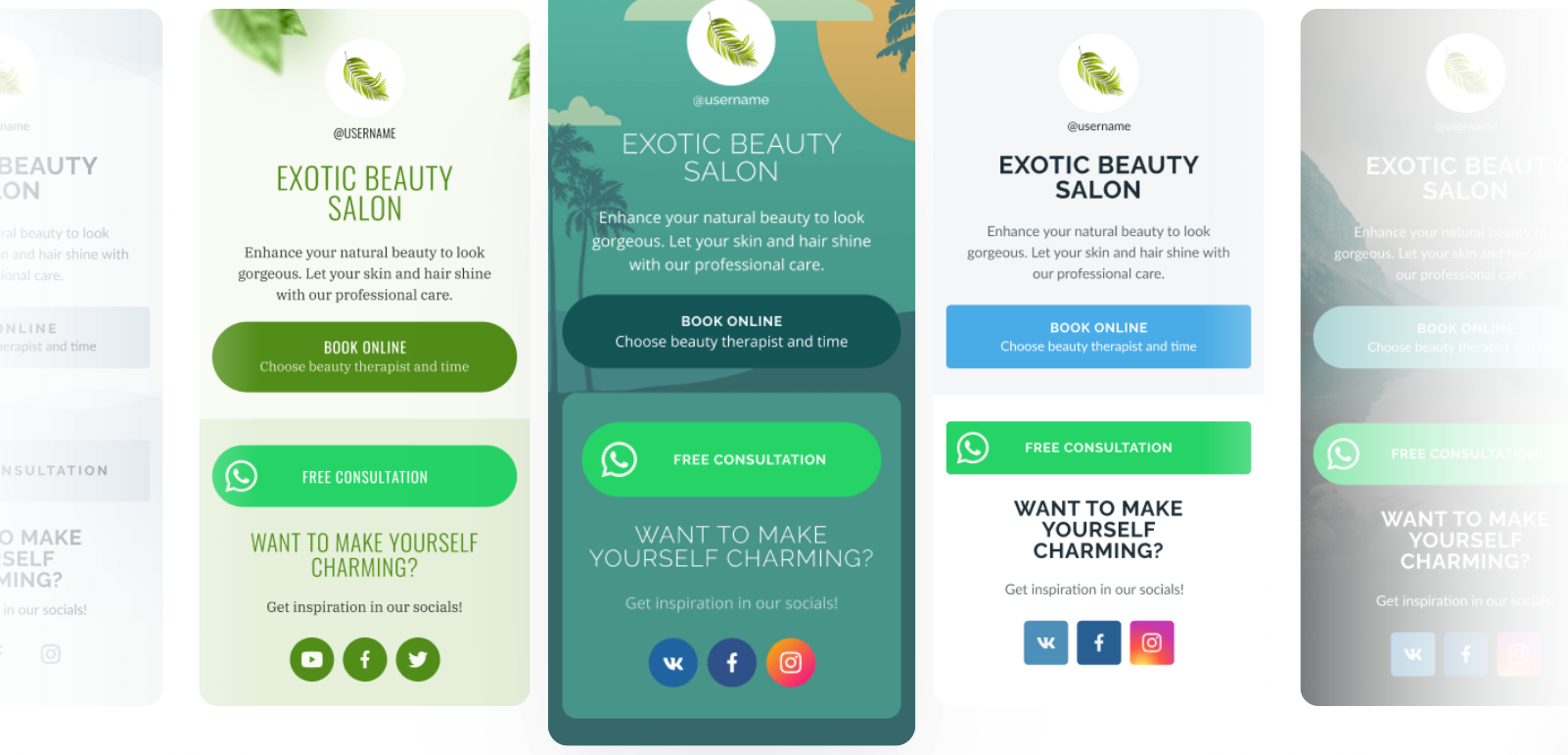
Though similar to Linktree, its landing page would remind you of WordPress, with its variety of blocks including texts, buttons, videos, forms, and more. All you’ll have to do is select one and drag up or down.
Its templates library offers a generous amount of designs so you can find one that fits your brand. But what stood out to me was how most of the templates look very similar, just differing in the color scheme.
But looking beyond that, Taplink let me add forms, which proved to be great for selling products, or if you are booking appointments. Again, it works like a WordPress editor, so you’ll just have to find the “forms” block and drag it where you want it to appear.
It also integrates with WhatsApp, Facebook, Telegram, and more. The process was also basic, but I got my page to look quite cluttered once because I was excited to try all the integrations!
If you mean business…
…Taplink, just like atom.bio has built-in analytics that provide insights into page and link clicks. And best of all, it’s also optimized for mobile, so you can do all of these wherever and whenever.
But as mentioned, you should be ready for the learning curve. This makes Taplink perfect for you if you’re a business owner looking for an alternative to Linktree that can also provide you with the data you need for smarter decision-making.
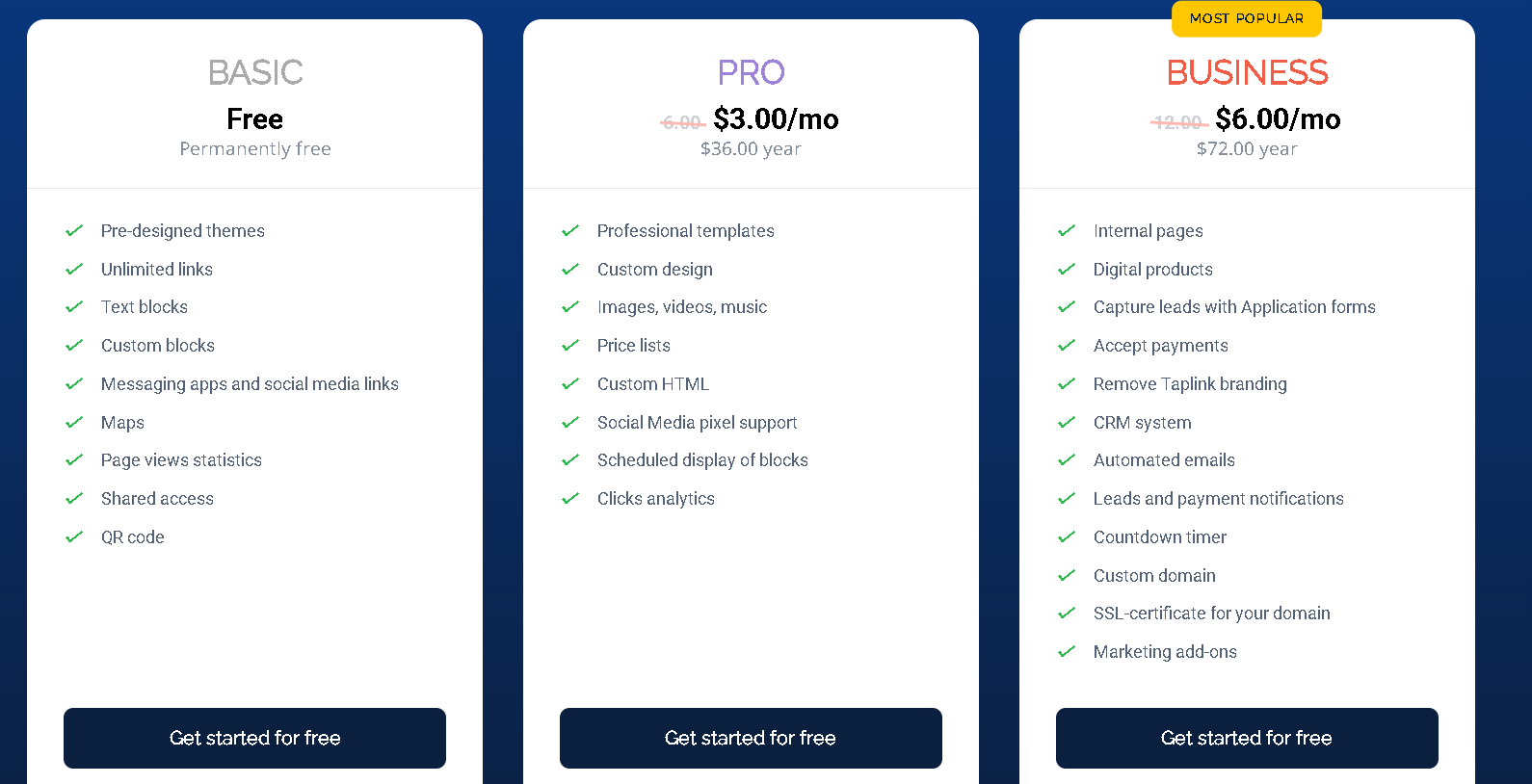
Just take note that the Taplink branding is present with the free plan, and most integrations are locked behind paid plans.
Speaking of paid plans, its Pro Plan is $3 and will give you the advanced blocks and the ability to remove the branding, while the Business Plan costs $6, featuring CRM integration and priority support.
Now that we’ve mentioned support, we had to try reaching out, of course. Some users reported a slow customer support response time. You can report an issue via email and the reply took a while, especially when I was still using the free plan.
If you’re running a time-sensitive campaign, you might want to take note of that.
The verdict?
Taplink is one of the most feature-rich Linktree alternatives today. Its customization and variety of blocks make it perfect for people who are looking for more than just a list of links.
While beginners might need a little time to get comfortable, this tool’s flexibility makes it one of the best choices for serious creators and businesses.
4. Bento (Minimalist Portfolio-Style Alternative to Linktree)
| Best for | Freelancers |
| Analytics and Insights | Included in the plans |
| Free Plan | Yes |
| Page Customization | Limited |
| Pricing | Free, $29, $69, $129 |
| Ease of Use | ⭐⭐⭐⭐ |
| Editing Capabilities | ⭐⭐⭐⭐ |
| Customization | ⭐⭐ |
| Features | ⭐⭐⭐ |
| Customer Support | ⭐⭐⭐ |
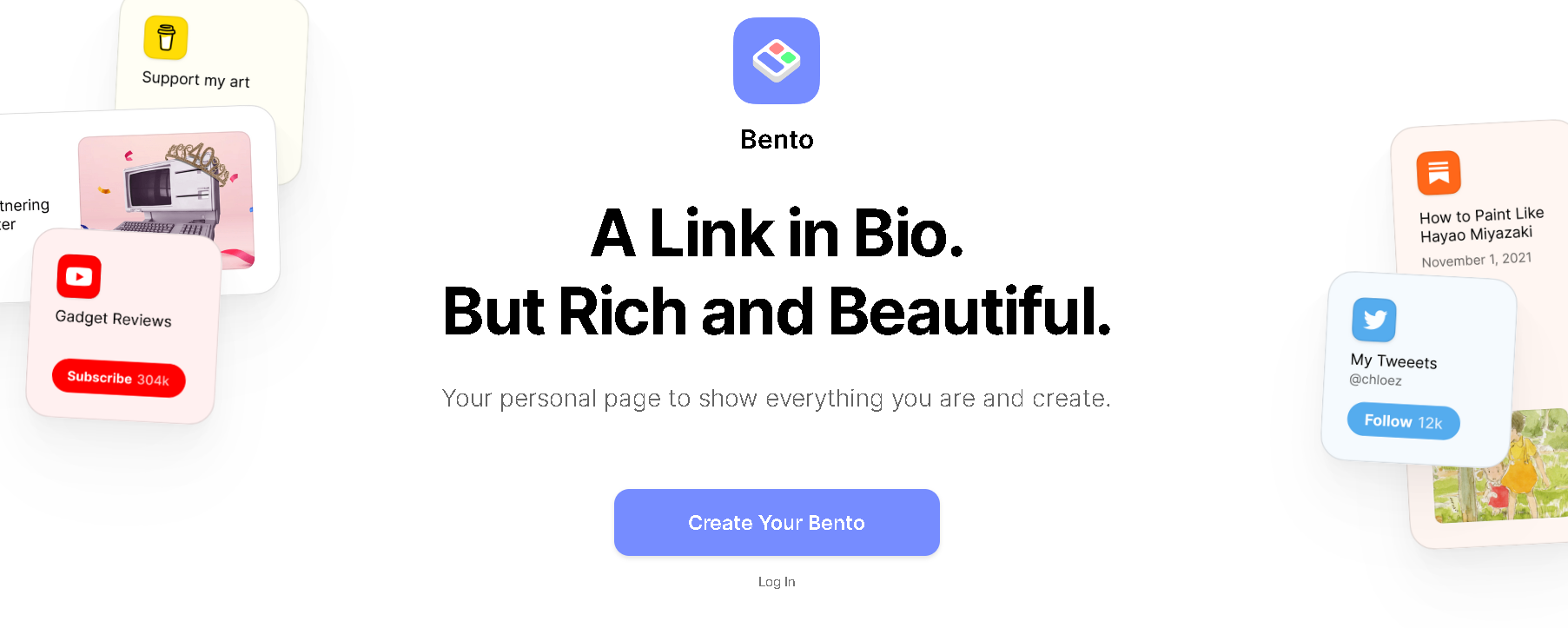
Bento hits the sweet spot between aesthetics and minimalism. This tool, that is like Lintree, is quite different in a way that it doesn’t look like it caters much to mobile usage.
Bento vs Linktree (Portfolio Feel vs Link List)
If you value a fresh and clean style and beauty, Bento has this unique “Bento Blocks” feature where you can put different elements such as forms, links, a blog post, or even an image.
It feels more like a portfolio that a link in bio tool.
Now, whether it’s an advantage or a disadvantage is up to your own needs.
Bento is easy to navigate and intuitive. You don’t need strong tech skills to get going. I loved the templates even in the free plan. Though limited, the available ones were beautiful.
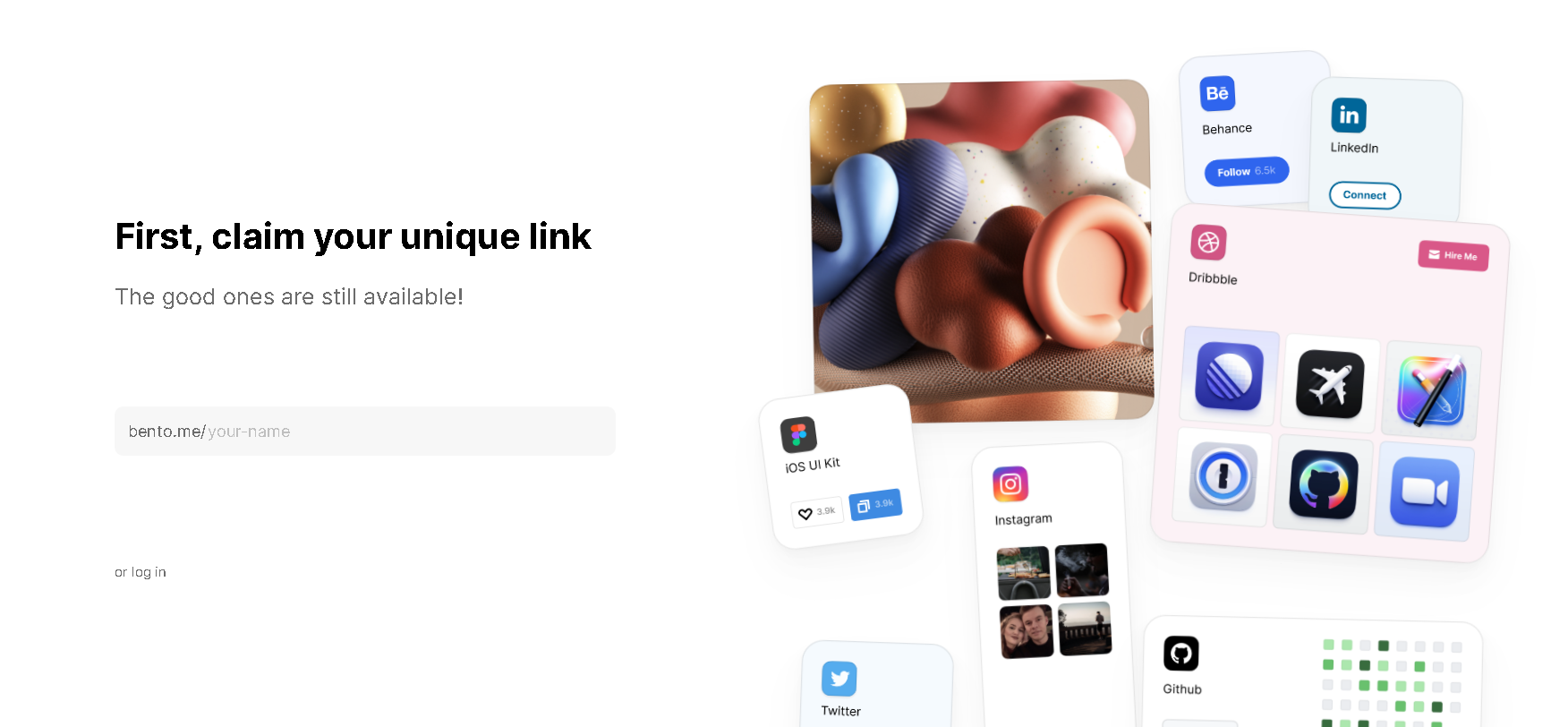
We can say that Bento is great for creatives such as artists, freelancers, coaches, and professionals who want to showcase not just their links but their vibes.
But beauty aside, Bento also has a decent integration, making it quite a versatile hub. I was able to use the essential features just fine, and it’d be enough if you’re looking for nothing but a place to showcase your links.
Personally, I find the whole Bento concept a bit confusing to the eyes. Just scrolling through their website confused my brain. But it sure looks good if you look beyond the confusing boxes.
If you care about the analytics…
…you’d be better off with atom.bio as Bento doesn’t have advanced analytics and performance tracking. They’re decent and basic. I was looking for advanced insights and Bento didn’t have it.
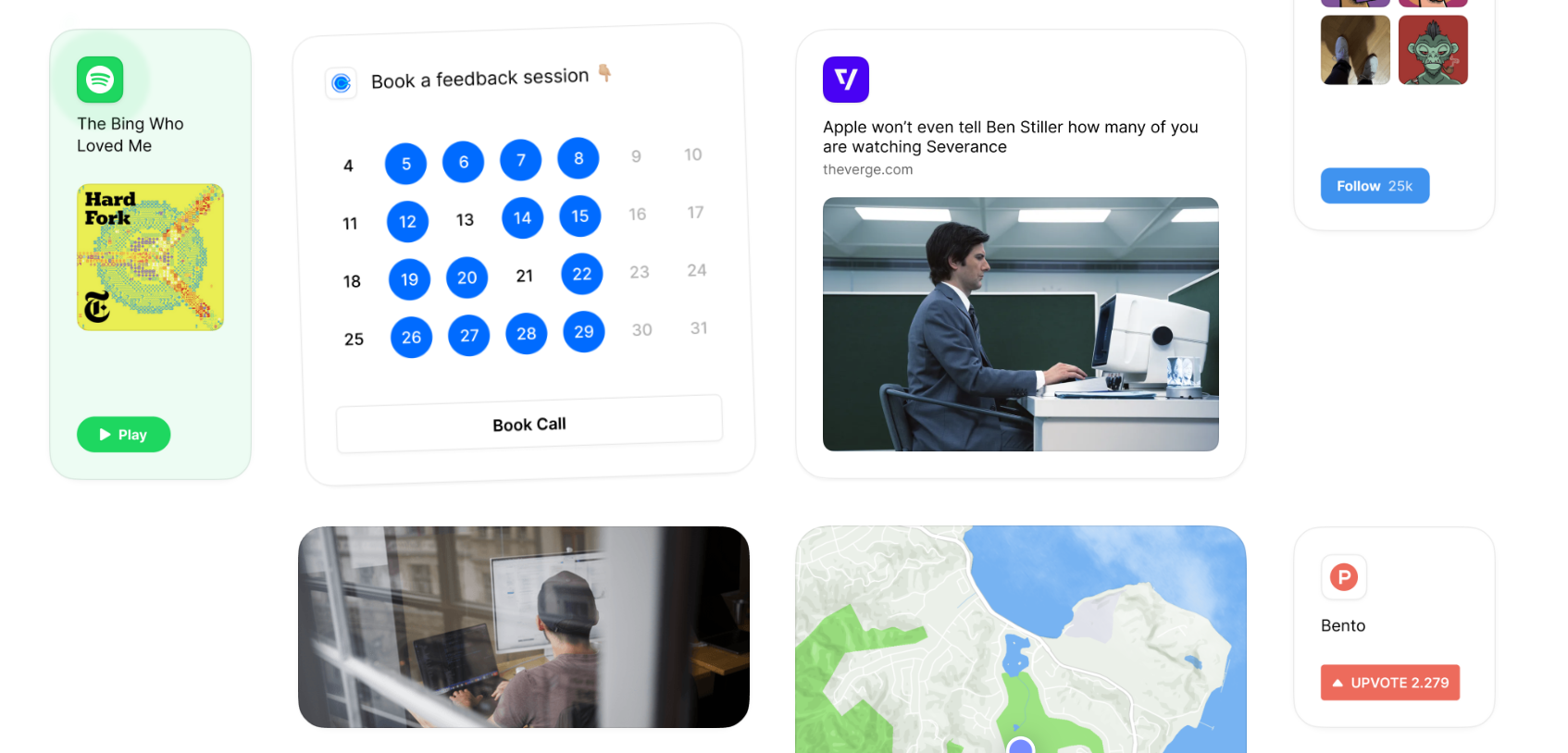
Bento’s minimalist approach is great if you’re not expecting much. But it will also limit you from customizing your page if you’re a creator who wants complete control of every detail.
Pricing
Aside from the free plan, Bento also offers three tier plans ranging from $29 to $149. The first tier will give you up to 10 cards, while the most expensive tier has up to 100 cards.
Oh, and let me just mention that Bento was acquired by Linktree, so we’re here hoping there’d be an integration with a top link in bio ecosystem in the future!
5. Milkshake (Mobile-First “Linktree for Instagram” Alternative)
| Best for | Instagram influencers |
| Analytics and Insights | Included |
| Free Plan | Free and premium plan |
| Page Customization | Limited |
| Pricing | Free and $2.99 |
| Ease of Use | ⭐⭐⭐⭐⭐ |
| Editing Capabilities | ⭐⭐⭐ |
| Customization | ⭐⭐⭐ |
| Features | ⭐⭐⭐ |
| Customer Support | ⭐⭐⭐⭐ |
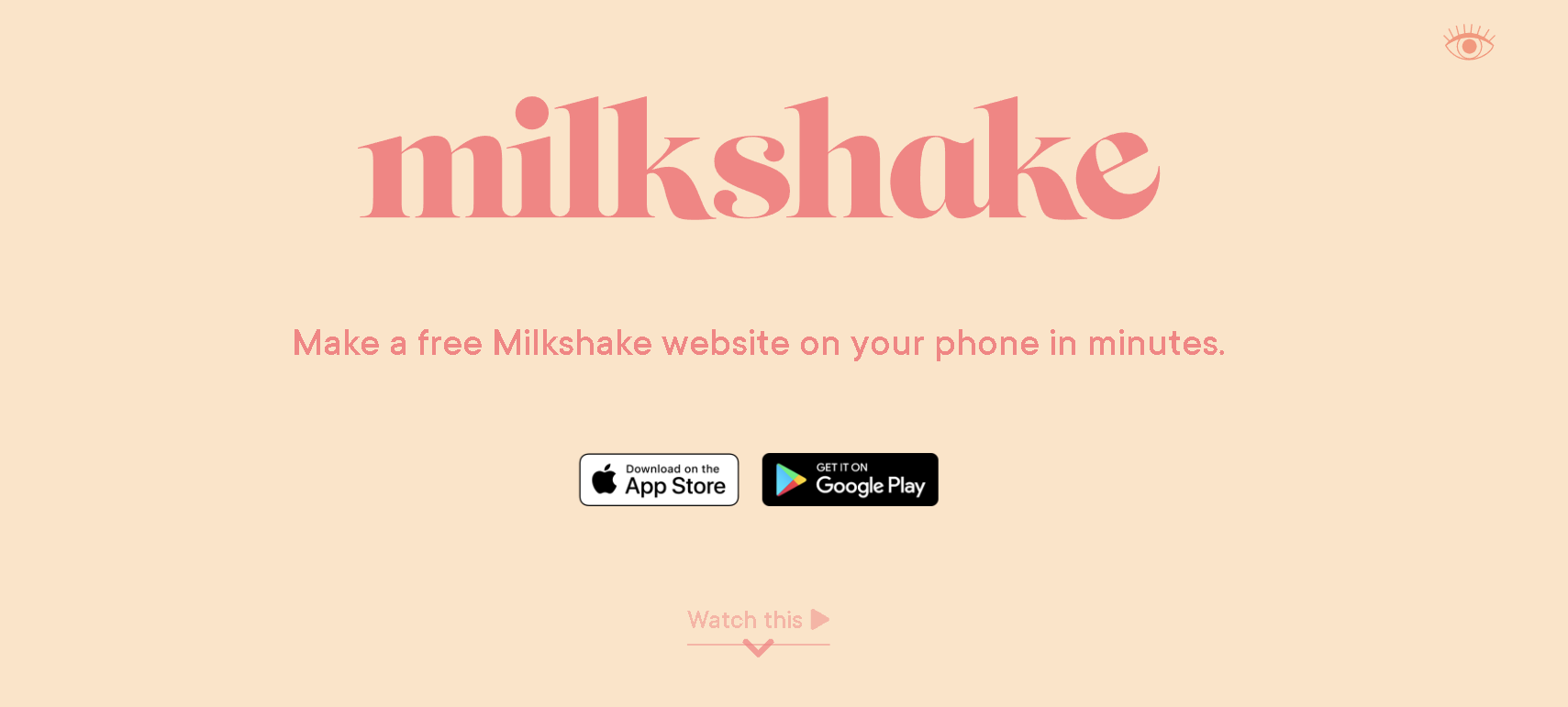
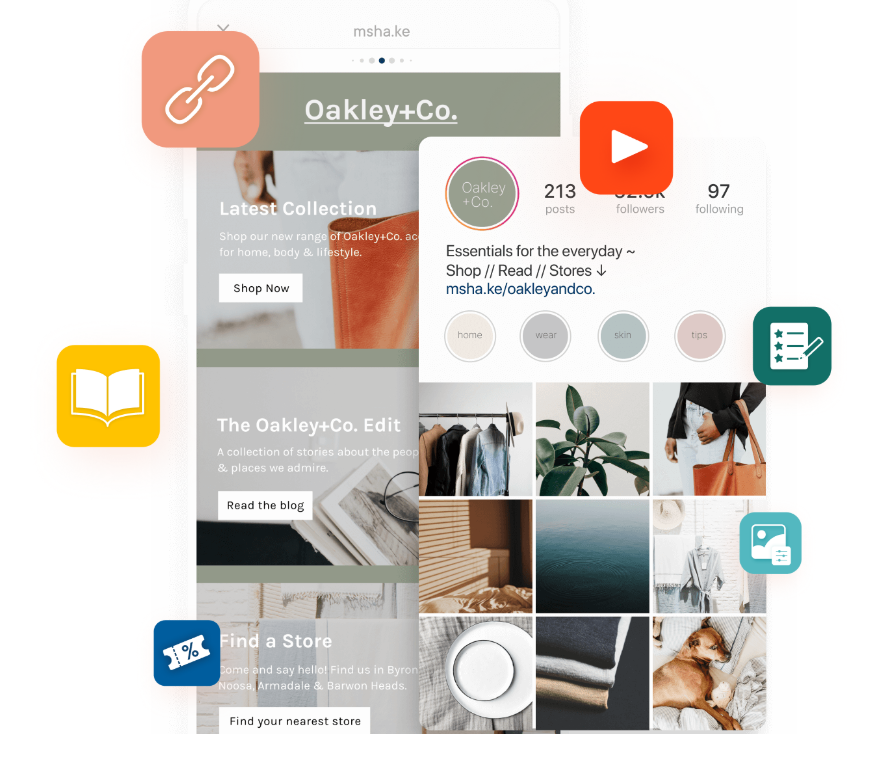
If Instagram had a baby with a website builder, it would be Milkshake. This “Linktree for Instagram” is a swipeable and stylish link in bio tool made for creators on the go.
Available on both iOS and Android, Milkshake was definitely designed with mobile creators in mind. Built as a mobile app, creating our link-in-bio or landing page felt more like posting a social media story.
Milkshake vs Linktree (Mobile Cards vs Traditional Page)
Much like Tap Bio, Milkshake also works with a card-based format, which allows you to create different cards for your bio, links, list of services, product campaigns, and more. What I personally liked about this format is how it gave me a more curated and interesting experience than a set of links or blocks.
Like most link sites…
Setting up your Milkshake account and pages is also a walk in the park. Choose a template, decide what theme you want your cards to have, add your images and links, and you’re good to go.
It’s also pretty customizable, though with some limitations. I was able to adjust the color scheme, fonts, and logos to match the brand identity I want to represent. For some people, this is already enough.
But if you want in-depth analytics, Milkshake can only offer you the basics. You have the daily and monthly breakdowns of link clicks and card views to tell you what resonates best with your audience.
But other than that, don’t expect detailed analytics like in some of its competitors.
How to Choose a Linktree Alternative
What to Look for when looking for a tool similar to Linktree
It’s easy to get confused when facing ten different tools that work like Linktree. Most tend to look the same and work the same. So, how can you be sure to get your money and time’s worth?
Customization Options (Fonts, Layout, Buttons)
One of the most important aspects, customization, was the first metric I considered when choosing the Linktree alternatives to test. Creators and business-owners alike want nothing but to express their brand’s identity and personality, and a tool that won’t let me do any fine-tuning wouldn’t be any good.
Integrations (Embeds, Pixels, Email, Scheduling)
You’d want your link in bio tool to play nicely with the tools you already use. The more widgets you can embed, the better!
Mobile Optimization (Speed + Editor)
Let’s be realistic. Most people will visit you from their phone. Make sure that the platform isn’t only mobile optimized, but that it loads fast and that it looks sleek and easy on any device.
Pricing (Free Plan vs Paid Upsells)
Custom domains, extra links, branding removal, and extra cards are great when you can get them. But as we saw with atom.bio, it’s actually possible to have them without spending too much. That shows that you can still find great quality even with a limited budget. So, it’s important to check how much value for money a tool gives before getting one.
Linktree DSGVO / GDPR Compliance: What to Check
Searches like “Linktree DSGVO compliant” are common because many creators and businesses collect traffic data using cookies, analytics, pixels, or embedded widgets.
Quick Checklist for EU Traffic
- Check cookie usage: does the page load tracking scripts by default?
- Review data processing: where are servers located and what processors are used?
- Update your policy: if you embed a third-party bio page, disclose it in your privacy policy.
Note: compliance depends on your setup (analytics, pixels, embeds) and how you disclose/collect consent.
Final Verdict: Which Linktree Alternative Should You Choose
At the end of the day, your link in bio tool should work for you and not limit your creativity or the voice of your brand. Whether you’re a small business owner or an influencer, choosing the right tool makes a huge difference.
atom.bio certainly didn’t limit me in the things I want to do with my page and how I want it to look. Rather, the generous set of features let my own brand’s personality shine, so I attracted the right people.
And we’re still not moving on from the fact that it’s all free.
The internet is a place where first impressions count, so having a stylish and smart link page is more than nice to have.

If you want even more options, check out our full list of 20 free Linktree alternatives: a complete roundup of the top tools available right now.
Linktree Alternatives FAQ
What is the best free Linktree alternative?
atom.bio is a strong option if you want a free Linktree alternative with unlimited links, customization, and built-in analytics without upgrading immediately.
What are the best sites like Linktree for Instagram?
If you want an Instagram-style experience, Tap Bio and Milkshake focus on swipeable, mobile-first layouts. If you want more control and fewer free-plan limits, atom.bio is usually the better fit.
Are Linktree alternatives better than Linktree?
Often yes—especially if you need better design control, stronger analytics, or fewer restrictions on the free plan. The best choice depends on whether you prioritize simplicity, templates, or advanced features.
Do Linktree competitors include analytics on the free plan?
Some do, but many restrict analytics to paid tiers. Always check whether you get per-link click tracking, referrers, and time-based stats in the free plan.
Is Linktree DSGVO/GDPR compliant?
It depends on how tracking is implemented (cookies/pixels/analytics) and what disclosures/consent you use. If GDPR/DSGVO matters for your audience, review privacy policies and cookie behavior carefully.
Last updated: December 2025 (tested free plans, pricing, templates, mobile UX, and analytics)